Write, edit, get the files. Then you upload.
PenWriter does the writing, the editing and the files. The last step, the upload, is yours. Here is what happens in each, what it spends, and what Amazon will ask of you at the end.
Write
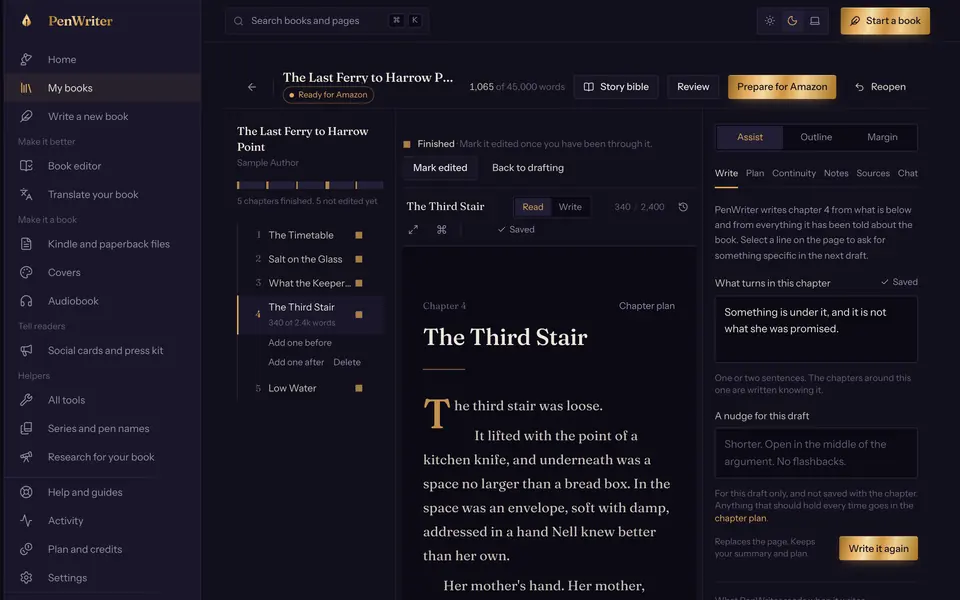
You give PenWriter a sentence about the book, or a Word draft, or an outline. It proposes angles and you choose. It shapes the story, sets out the cast and writes an outline you can change chapter by chapter.
Then it drafts. One chapter at a time, as you watch, or every chapter as a background job. Each draft is written from your outline, your cast and notes on the chapters before it. The result is a first draft, and it is labelled as one: read it, rewrite what you do not like, and write any part yourself.
What it spends. Drafting is model work and spends credits. A chapter of about 1,000 words costs about 24 credits at the rates built in. Writing by hand spends none.
Edit
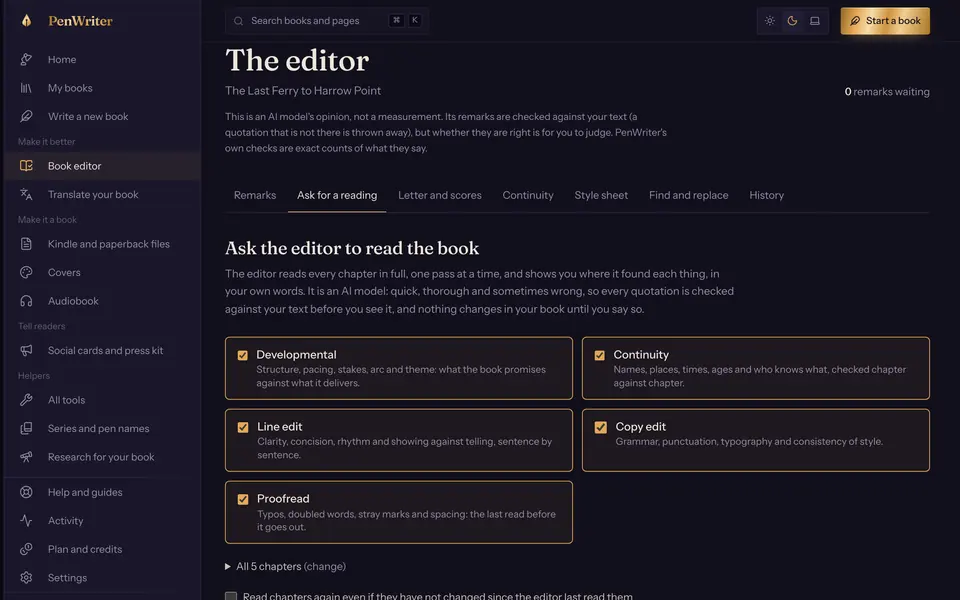
The editor reads the whole book, every word, in passes: the big picture, continuity, the line, copy and proof. Each finding quotes the sentence, says what is wrong and may offer a replacement. You accept, reject or ignore it.
PenWriter’s own checks run without a model: repeated words, filler, unbalanced quotation marks, spacing. And you can talk to PenWriter about the chapter that is open. It will offer wording, and you decide.
What it spends. The editor’s read is model work and spends credits; its own checks do not ask the model anything.
Files
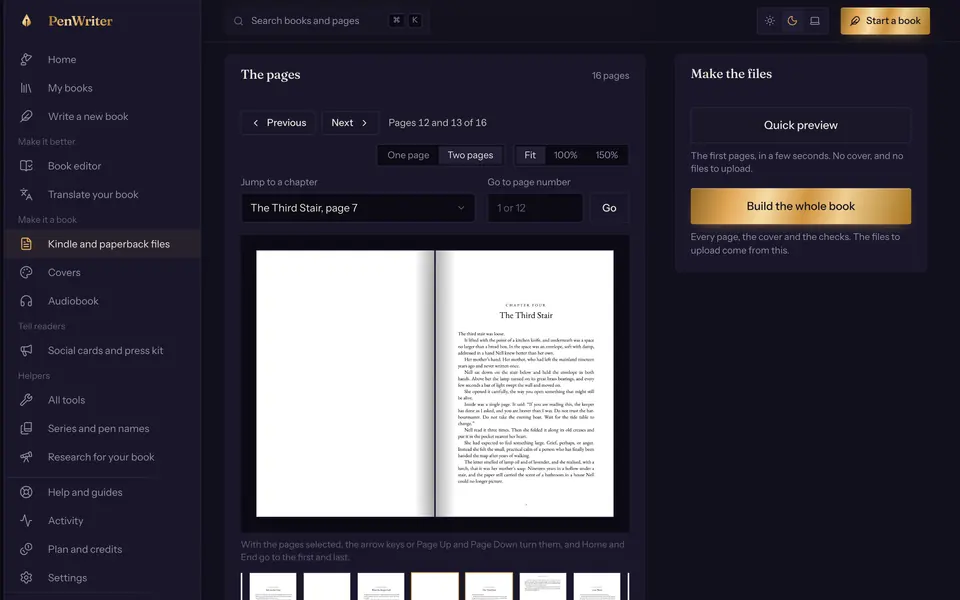
PenWriter checks the book against the rules Amazon has published and tells you, in plain words, what is missing or over a limit. When it is ready it builds a Kindle EPUB (and a Word file), a paperback interior PDF at the trim size you chose, and a wrap-around cover PDF with the spine. It also lays out the listing words: title, blurb, keywords and categories.
Every check asks “does this meet what Amazon publishes?” It cannot ask “will Amazon take it?”, because only Amazon can answer that.
- Your step
You upload
KDP has no way for another program to create or publish a title, so this step is yours: you sign in to KDP, create the title, paste in the words PenWriter laid out and upload the files. Nothing in PenWriter does this for you, or ever holds your Amazon sign-in.
What Amazon will ask for, so none of it is a surprise:
- Up to 3 categories (KDP Categories (opens Amazon’s page in a new tab)).
- Up to 7 keywords (Make your book more discoverable (opens Amazon’s page in a new tab)).
- A description of up to 4,000 characters, the markup included (Write a book description (opens Amazon’s page in a new tab)).
- For the 70% royalty option, a list price between $2.99 and $12.99 on Amazon.com, with a delivery cost of $0.15 per megabyte of file (eBook list price requirements (opens Amazon’s page in a new tab)).
- Your answer to whether text, images or translations were AI-generated. PenWriter suggests one from its records; it is your answer to give.
Read from Amazon’s pages on 15 October 2026. Amazon changes these; PenWriter’s rules carry the date they were read, and the page is the authority, not this one.


Where the work happens
Your manuscript lives on your desk in PenWriter. Words you ask the model to work on are sent to the model to be worked on, and the Privacy Policy says where that is for this copy of PenWriter.